
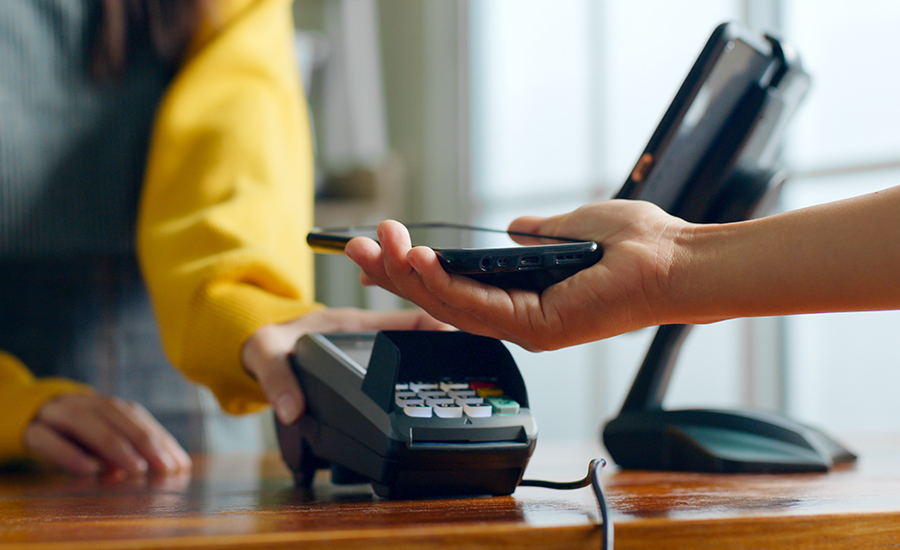
The holiday season is here, and despite some economic uncertainty, Americans are predicted to spend a collective $242 billion on holiday gifts in 2025—not to mention nearly $311 billion on holiday travel. Now, more than ever, shoppers are turning to digital wallets to make their holiday purchases. In fact, about 70% of Americans ages 18 to 28 and nearly 74% of those ages 29 to 44 are likely to use digital wallets to pay—compared to just 30% of shoppers over 60.
In part, this shift is because digital wallets make holiday shopping faster, easier, and more secure—but only if you use them wisely.
How Digital Wallets Work
A digital wallet is a contactless payment method that allows you to save your cards on a mobile device and make payments on apps and at checkout counters. It works much like a physical credit or debit card, but with a few key differences.
Apps like Apple Pay, Google Pay, and Samsung Pay store your credit or debit card information securely on your device. But they don't actually share your card number with the store when you pay. Instead, they create a unique, encrypted "token" for each purchase. This token replaces your actual card details, reducing the risk of your information being stolen if a retailer is hacked.
Digital wallets also use biometric security-like Face ID, fingerprint recognition, or a passcode-so only you can authorize a purchase. These differences tend to make digital wallets a safer alternative to carrying and spending with a physical card.
While that encryption adds an extra layer of protection, it doesn't make digital payments completely scam-proof. Fraudsters can still trick shoppers into revealing personal or account information through fake links, texts, or apps.
Here are some tips for protecting your digital wallet while you shop:
1. Stick to Trusted Payment Apps
Download digital wallet apps only from official app stores, and avoid entering your card details into apps or sites that aren't verified. Fraudsters often create look-alike payment platforms or fake wallet apps designed to capture your personal and financial information.
Popular and secure options include Apple Pay, Google Pay, Samsung Pay, and PayPal—each of which uses strong encryption and has built-in fraud protection to help keep your transactions safe.
2. Use Strong Device Security
Lock your phone or smartwatch with a passcode, facial recognition, or fingerprint ID. If your device is ever lost, you'll want to make sure no one can access your wallet. For extra safety, enable "Find My Device" or a similar service so you can remotely lock or erase it if necessary.
3. Avoid Public Wi-Fi for Transactions
When you're shopping online or paying through a mobile app, use a secure Wi-Fi connection or your phone's data plan (or a personal hotspot). Public Wi-Fi networks-like the ones at coffee shops or airports-can be targets for hackers who intercept payment data.
4. Watch for Fake Stores
Scammers love to send "holiday deal" links that lead to fake websites designed to steal your payment information. Before you click, check the web address carefully-look for "https" and a padlock icon-and take a moment to scan the page for red flags like low-quality images, off-brand logos, or grammatical errors. When in doubt, type the retailer's web address directly into your browser instead of clicking a link.
5. Don’t Fall for Phishing Links
Phishing scams often show up as emails or texts claiming there's a "problem with your payment" or a "delivery delay." These messages are designed to make you panic and click before thinking. Don't follow any links or download attachments-instead, go directly to the retailer's official website or app to verify.
6. Monitor Your Accounts and Set Alerts
Even with tokenized payments, it's smart to keep an eye on your account activity. Many credit unions and banks, including Maps, let you set up transaction alerts so you'll know right away if something looks off.
To set up account alerts in Maps online/mobile banking:
- Log in to your account and tap the hamburger menu at the top left corner. (Or the top of the screen in the desktop app).
- Tap “More” and then “Alerts”.
- Select “Transaction Alert” from the dropdown menu and then “Continue.”
- Choose which type of transactions you would like to be alerted about, or leave it set to “Any.” You can also select a minimum/maximum dollar amount and your preferred notification method (phone or email).
- Tap “submit.”
7. Don’t Forget About Your Physical Cards and Cash
Of course, not all stores offer a digital payment option, so a physical wallet may still be necessary for some holiday purchases or outings. And, in the holiday rush, it's easy to forget or misplace those physical items.
So, carry only what you need-one credit card, your ID, and a small amount of cash-and store them securely. If your card is lost, stolen, or compromised, contact your financial institution immediately to freeze or replace it.
Digital wallets are safer, but not foolproof.
Digital wallets are one of the easiest ways to pay safely this holiday season-especially when paired with a few basic precautions. Keep your devices secure, shop only with trusted retailers, and stay alert for anything that feels off. A little awareness can go a long way toward keeping your holiday spending merry and scam-free.
Want more safe spending tips?
- Learn how to stay safe while shopping online.
- Find out how to protect yourself against gift card scams.
- Get the details on brushing scams and learn what to do if you receive a package you didn’t order.